
VCF 9.1 API Access Series
This post is part of an ongoing deep-dive series on VCF 9.1 programmatic access.
Foundational Mechanics
Component Authentication & Token Exchange
- VCF 9.1 API Access (3): Using API Access Token for NSX and Operations API
- VCF 9.1 API Access (4): vCenter Authentication
- VCF 9.1 API Access (5): VCF Automation Provider Org
Advanced Architecture, Governance & Least Privilege
- VCF 9.1 API Access (6): Scoping Permissions for the VCF 9.1 Fleet Management API
- VCF 9.1 API Access (7): Balancing Operational Simplicity with IdP Governance
Day-2 Lifecycle Automation
To execute programmatic operations against the VCF Automation Provider Org APIs, administrators can utilize either VCF Automation API Tokens or a VCF IdP Token (VIDB Token).
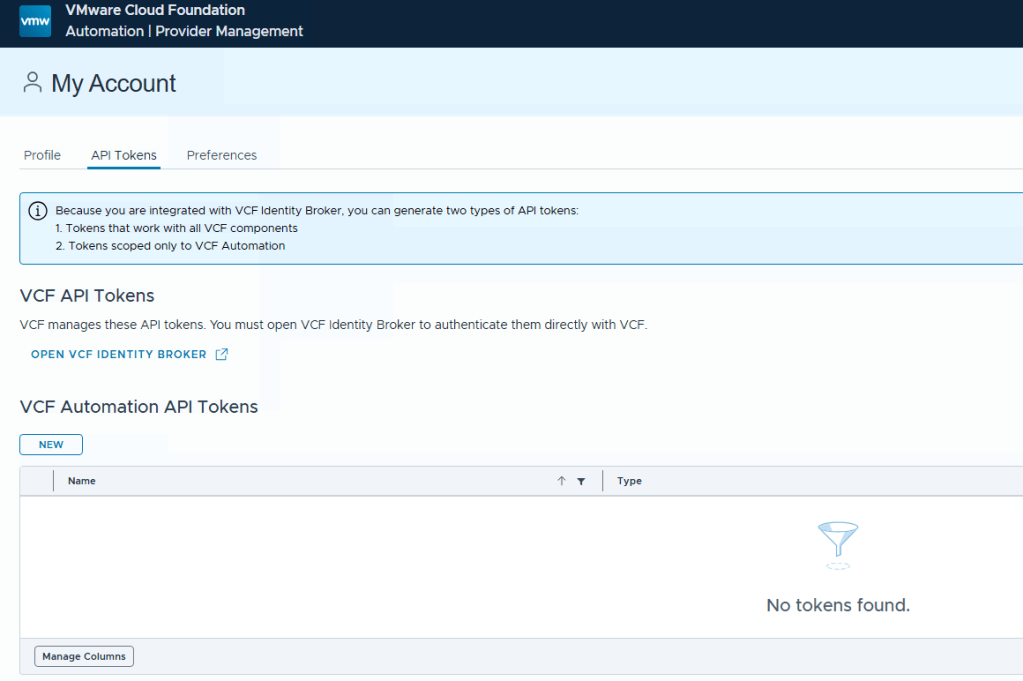
When leveraging the VIDB Token, authentication requires a two-step process. Below are the sequential API operations required to establish an active session.
Step 1: Exchange VIDB Token for VIDB Bearer Access Token
First, authenticate against the Identity Broker instance to exchange your initial VIDB programmatic token for a short-lived bearer access token.
API Request:
curl --request POST \ --url https://{{idb-fqdn}}/acs/t/CUSTOMER/token \ --header 'content-type: application/x-www-form-urlencoded' \ --data grant_type=urn:custom:vcf:params:oauth:grant-type:api-token \ --data 'api_token={{ssoUserAPIToken}}'
Response:
JSON
{ "scope": "openid profile user email group", "access_token": "eyJxxxxxxxxxxmDshCxw", "token_type": "Bearer", "expires_in": 1798}
Step 2: Exchange VIDB Bearer Access Token for VCF Automation JWT Token
Next, take the access_token retrieved from Step 1 and exchange it at the VCF Automation token endpoint to generate a system-scoped JSON Web Token (JWT).
API Request:
curl --request POST \ --url https://{{vcfa-fqdn}}/cloudapi/1.0.0/sessions/provider \ --header 'accept: application/json;version=9.1.0' \ --header 'authorization: Bearer {{apiAccessToken}};org=system' \ --header 'content-type: application/json;version=9.1.0'
The JWT token is returned inside the response headers rather than the JSON body. You must parse the headers to extract the following key:
x-vmware-vcloud-access-token eyJraxxxxxaldBDdu-YzK6RGljsU_uwUHF6_GkCWz1iM-WvVcDw
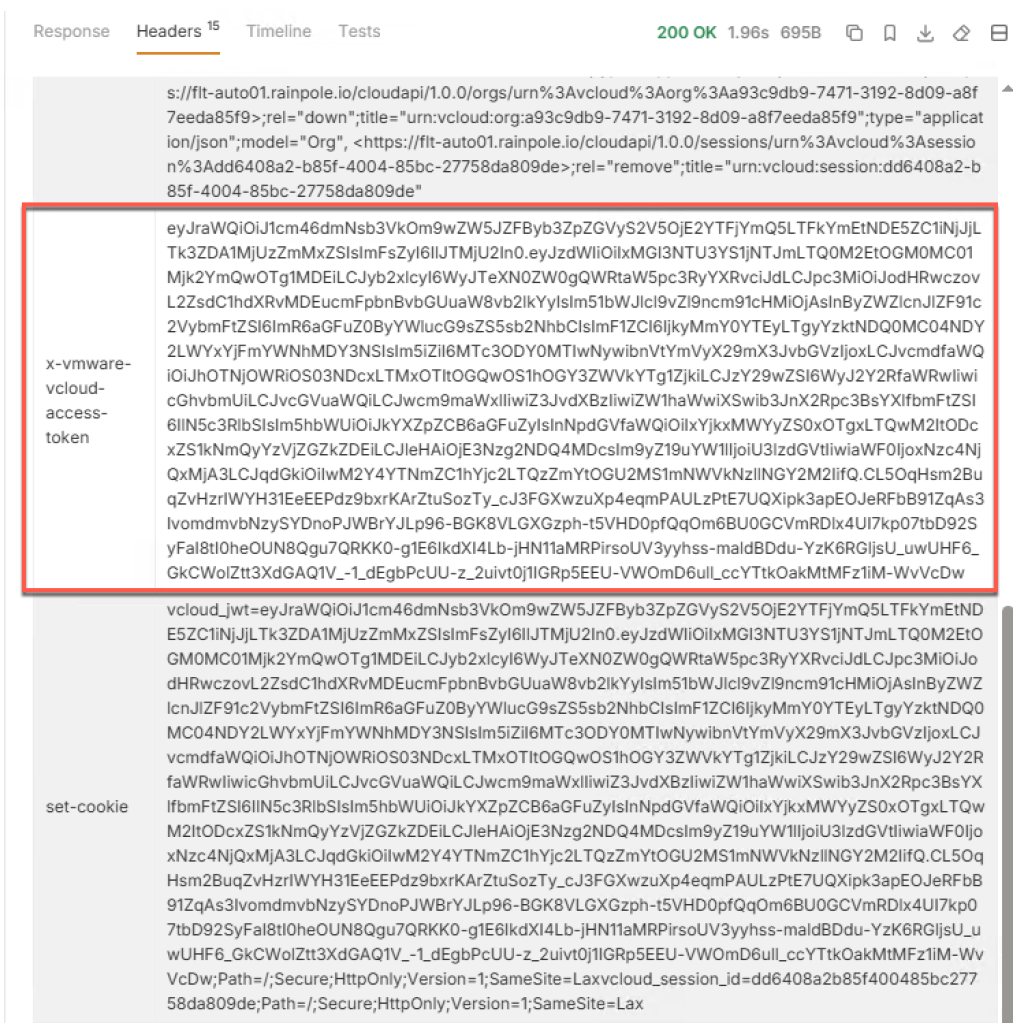
This x-vmware-vcloud-access-token value serves as the authorization token for subsequent VCF Automation API calls.
Example: Utilizing the Session Token
Include the extracted token in your authorisation header when making API calls.
curl --request GET \ --url 'https://{{vcfa-fqdn}}/cloudapi/1.0.0/orgs?page=1&pageSize=25' \ --header 'accept: application/json;version=9.1.0' \ --header 'authorization: Bearer {{vcfa-jwt-token}}' \ --header 'content-type: application/json;version=9.1.0'
Happy Automating!


Pingback: VCF 9.1 API Access (1): Basic – davidwzhang.com
Pingback: VCF 9.1 API Access (2): Access Control – davidwzhang.com
Pingback: VCF 9.1 API Access (3): Using API Access Token for NSX and Operations API – davidwzhang.com
Pingback: VCF 9.1 API Access (4): vCenter Authentication – davidwzhang.com
Pingback: VCF 9.1 API Access (6): Scoping Permissions for the VCF 9.1 Fleet Management API – davidwzhang.com
Pingback: VCF 9.1 API Access (7): Balancing Operational Simplicity with IdP Governance – davidwzhang.com
Pingback: VCF 9.1 API Access (8): API Token Lifecycle Automation – davidwzhang.com
How do, or can, you programmatically create the ssoUserAPIToken?
LikeLike
Please check https://davidwzhang.com/2026/05/22/vcf-9-1-api-access-8-api-token-lifecycle-automation/
LikeLike